

Cursor vs GitHub Copilot: The AI IDE Showdown
A detailed breakdown of native AI-first forks versus traditional plugin autocompletion.
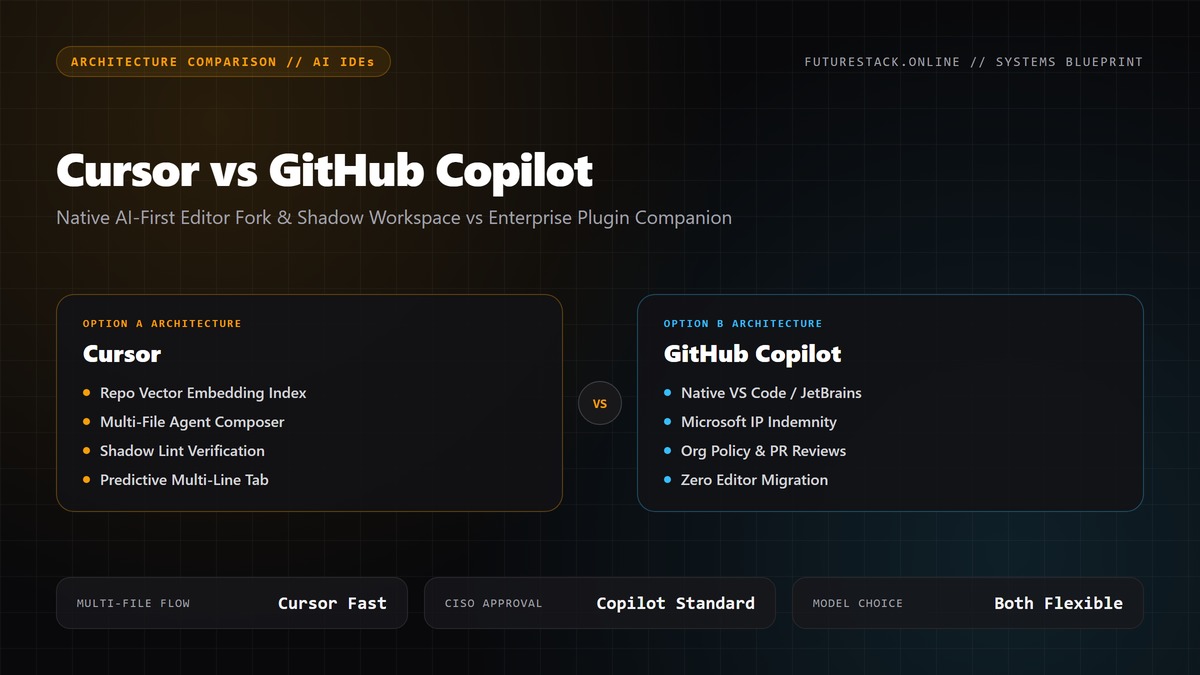
While GitHub Copilot invented the modern AI code completion category as an IDE plugin, Cursor re-imagined the editor from scratch as a native fork. Cursor's deep semantic codebase indexing and multi-file Composer feature make it feel like pair-programming with a senior engineer rather than just accepting inline autocomplete suggestions.
Cursor
AI-native VS Code fork with deep codebase indexing & Composer
GitHub Copilot
Enterprise-backed AI companion plugin for VS Code & JetBrains
Technical Benchmark Criteria
| Evaluation Metric | Cursor | GitHub Copilot | Advantage |
|---|---|---|---|
Multi-File Editing (Agent Mode) Cursor can modify 10+ files simultaneously while running terminal commands to fix build errors. | Native Composer with full repo edits | Workspace Chat & Edits (evolving) | Cursor |
Codebase Indexing & Context Cursor indexes entire repositories locally and can reference specific documentation (@Docs) and web pages instantly. | High-speed semantic vector embeddings | Heuristic and limited file context | Cursor |
Enterprise Compliance & Security Copilot comes with guaranteed IP indemnification and centralized team controls trusted by Fortune 500 CISOs. | Privacy mode available | Full Microsoft/GitHub enterprise compliance | GitHub Copilot |
Cursor is the clear winner for individual velocity, full-stack development, and complex feature implementation. GitHub Copilot remains the standard for large enterprise teams bound by strict compliance and centralized IT procurement.
Frequently Asked Questions
Can I use my existing VS Code extensions in Cursor?
Yes, Cursor is a direct fork of VS Code and allows 1-click importing of all extensions, keybindings, settings, and themes.